Community Soccer – Outdoor 2026
Registration for the 2026 Outdoor Season is open February 5 to March 12, 2026 (11:59 pm). All registrations completed now will be placed on a Waiting List.
All on time registrations within the city of Edmonton must get put on a team first before we can place any late registrations. Therefore, late registrations are not guaranteed a spot on a team.
Players will be placed on a team AS space is available on a first come first served basis.
Payment for players on the wait list will be required when we confirm a spot for your child.
To secure your spot, all steps must be completed and paid by the March 12 deadline. This includes:
- EMSA Soccer Portal registration
- TeamSnap registration
- Full payment
- Volunteer/Jersey Authorization Form
If any part of the registration is missing by the deadline—or if you register after March 12—your athlete will be placed on the waitlist.
Waitlisted players will only be contacted for payment if a spot becomes available after teams are formed.
Team Rosters & Season Information
- Team rosters will be released near the end of April.
- Parents will receive a TeamSnap invitation. Once you accept it, your team will appear in your TeamSnap app.
- Game schedules will be posted on our website on April 27 after 5:00 pm.
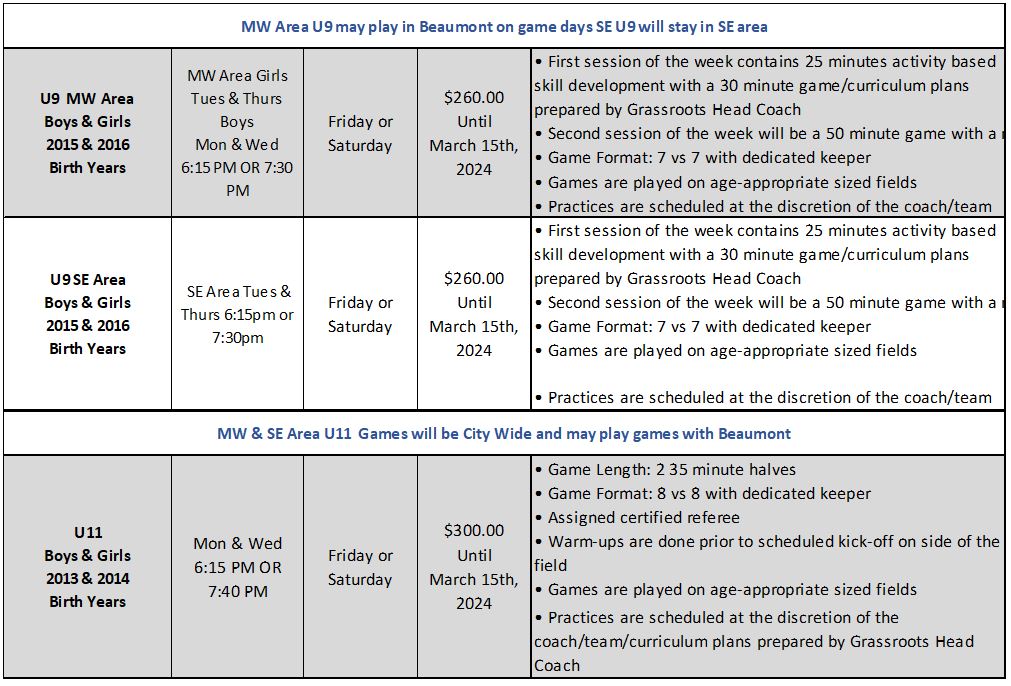
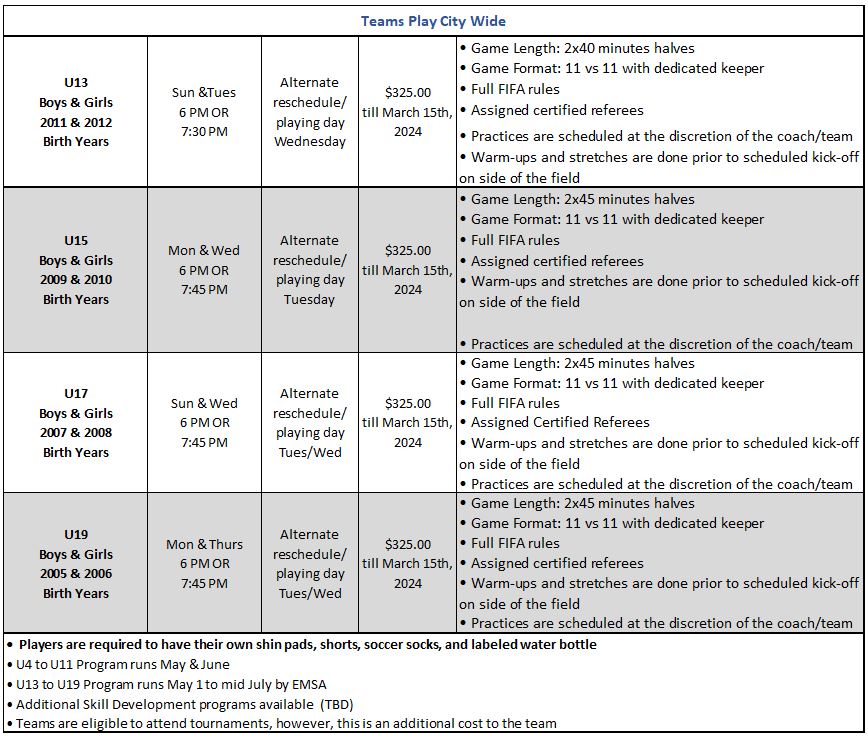
- Game times vary by age group.
- Time requests cannot be accommodated.
Season Dates:
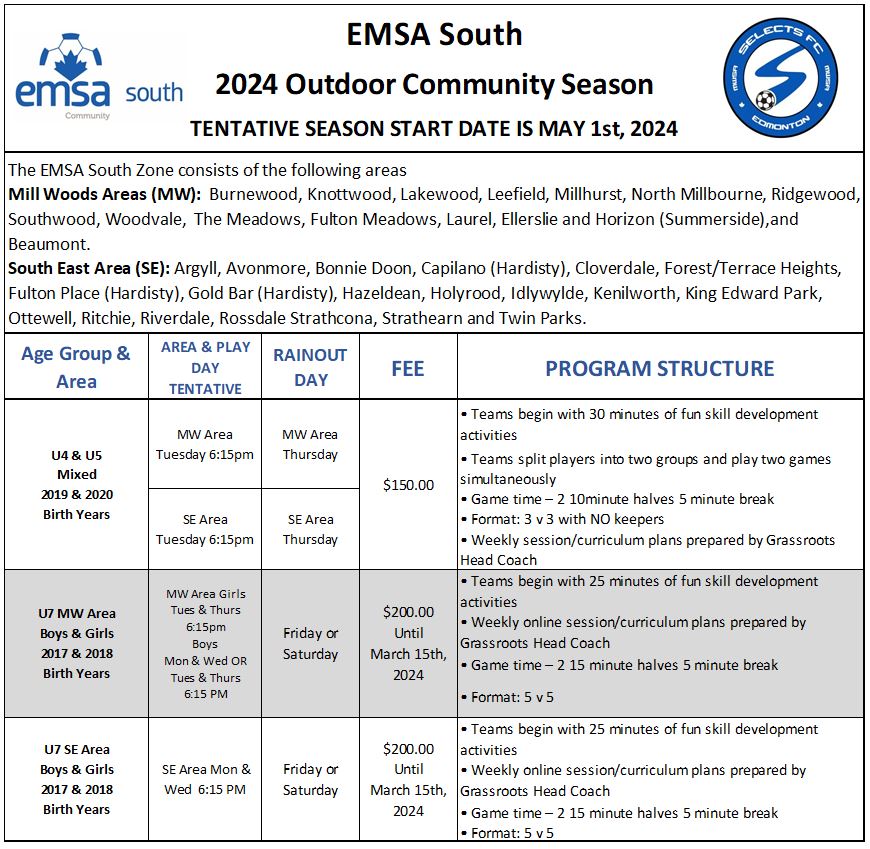
The 2026 Outdoor season runs May 1 to late June.
Because of the World Cup, we may need to use rain-out days to ensure all teams complete their full schedule.
CLICK HERE TO VIEW OUR REFUND POLICY.

How To Register for Outdoor Soccer
REMINDER: We launched a NEW registration portal during the Indoor season!
NOTE: We transitioned to a new registration platform in August 2025. All members will need to create a new account unless you registered for the Indoor 2025/26 season. Login details from the previous system will not carry over.
STEP 1: Get Your Community League Membership
All players must have a valid EFCL Membership Card.
- Purchase your membership from the community where you live (even if it doesn’t offer soccer).
- Enter your home address online to see your community and available memberships.
👉 Buy your membership: https://efcl.org/membership
STEP 2: COMMUNITY PLAYERS – REGISTER ONLINE AT THE EMSA SOCCER PORTAL
The EMSA Soccer Portal will open for 2026 Outdoor registration on February 5, 2026. Please note: we moved to a new registration platform in August 2025. All families must create a new account unless they registered for the Indoor 2025/26 season. Previous login information will not transfer to the new system.
- Go to the EMSA Soccer Portal: https://portal.emsamain.com/login
- Create a new account (unless you already used the new portal for Indoor 2025/26).Add/Register your community player(s) or team officials.
- Each player and each team official must be registered separately.
After You Register
You will receive a Player Registration Confirmation email from the portal.
This email includes your TeamSnap payment link.
(Check your junk/spam folder.)
If you don’t get the link within 24 hours, email: office@emsasouth.com
Include the player’s name and date of birth. How To Register
STEP 3: COMMUNITY PLAYERS – Pay Through TeamSnap
Use the TeamSnap payment link in the confirmation email.
Items you will need to provide when you receive the TeamSnap Link are:
- You will need:
- Proof of age
- Player photo (if an EMSA ID card is required)
- Credit Card Authorization Form (credit card authorization form (for jersey and volunteer deposit – authorization for EMSA South to process the card if a chargeable situation occurs)
- Your registration payment
- Follow the link and choose:
- Create New Participant, or
- Register Participant –
- Registration payment – due now (community)
- Click the TeamSnap link and choose either “Create New Participant” OR “Register Participant.”
- Follow the link and choose:
- Create New Participant, or
- Register Participant
- (If creating a new account, click the link again afterward.)
- All players require a separate registration
Please note: The registration is not finalized until payment has been received. The deadline to submit payment is March 12th (11:59pm), 2026. After MarchRegistration is not complete until payment is received.
Payment deadline: March 12, 2026 (11:59 PM)
After this date, payment is only taken if we find a spot for your player.
How to Pay
1. Online
Use Visa, Mastercard, or debit at the final step in TeamSnap.
Installments are available and charged automatically.
2. In-Person
Select “pay offline” in TeamSnap, then visit the office to pay by:
- Cash
- Cheque
- Credit or Visa Debit
Hours:
Tuesday–Thursday, 12:00 PM – 4:00 PM
3. Funding
- KidSport:
- KidSport offers financial assistance of up to $300 per child per calendar year (January–December) for eligible families. You can apply online when completing your EMSA South registration—just be sure to have your financial documents ready to upload.
- Please note: If you are applying for KidSport funding, you must still pay your full registration fees by the deadline to secure your athlete’s spot on a team. Once the office receives the funding, any overpayment will be refunded to the parent.
IMPORTANT INFORMATION FOR PLAYERS WANTING TO PLAY WITH THE SELECTS FC:
- Registration on the EMSA Portal and TeamSnap Player Placement registration is MANDATORY.
- CLICK HERE for details.
EMSA ID CARDS – WHO NEEDS ONE FOR OUTDOOR 2026?
All players and team officials will require a NEW ID card this season due to the new portal system.
COMMUNITY LEAGUE
Community Players U13 to U19
Community Coaches U9 to U19
* U7 team officials will require an I.D. card only to gain admission to the Edmonton Soccer Centers. The I.D. cards are not needed for game play.
CLUB LEAGUE
Premier Players U10 to U19
Premier Coaches U8 to U19
CLICK HERE for information on how to acquire your EMSA E card
Need help to register? Contact the office office@emsasouth.com and Kirsten can help you.
- Please send your inquiry via email to ensure our quick response.
- Refund requests will not be processed after April 1st and all refunds prior are subject to a $50.00 Administration fee. For more information please CLICK HERE to access our refund policy.
What equipment is needed for Outdoor soccer? All players must have shin pads, socks, and shorts (black). Regular running shoes (U4) or Outdoor Cleats can be used (U7 and up). A jersey will be provided by the coach. U9-U19 community players will require a $100/jersey deposit, which is provided in the TeamSnap registration.
Frequently Asked Questions CLICK HERE
Coaching Requirements
- Police clearance with a Vulnerable Sector Check (EMSA South provides the application free of charge)
- Respect in Sports Activity Leader – https://emsasouth.com/coachref/coachs-corner/respect-in-sport/
- NCCP course – Coaching Pathway
- Rule of Two – Rule 13.6 is now enforced in all soccer activities. This encourages safe sport. Click here for the guide.

Updated January 27, 2026 as